|
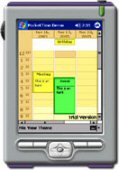
PocketPlanner is a scheduling and time planning component for applications using the Microsoft .NET Compact Framework. The clear programming interface makes programming with the control easy and effective. PocketPlanner 4.5 can quickly be integrated into any Pocket PC software and saves you long hours of coding and debug.
The product offers numerous options for time organizing and appointment management. The visual appearance is completely customizable and enables you to visualize engagements and tasks in the most convenient for your application way. Schedule presentation can be done in several different views such as:
-
A range of months, displaying several months in a grid, each of the months displaying its days in a smaller grid;
- A single month view, displaying the days of a month and allowing scrolling to previous or next month;
- A range of weeks, displaying days in a grid in which the days of a week occupy a single row;
- A list view, displaying a single day on each row or column;
- A timetable view, displaying the allotment of resources to distinct hours of a day. The columns of this view can be grouped by location, task or contact.
A free trial version of the component can be downloaded from here.
You can read more about PocketPlanner features at the features page.
MindFusion.Scheduling for .NET Compact Framework is part of MindFusion.Scheduling Pack. You can find more about the other components in the pack and the benefits from using them here.
For more information on the component or any other MindFusion products, please, contact us.
|






 Suites